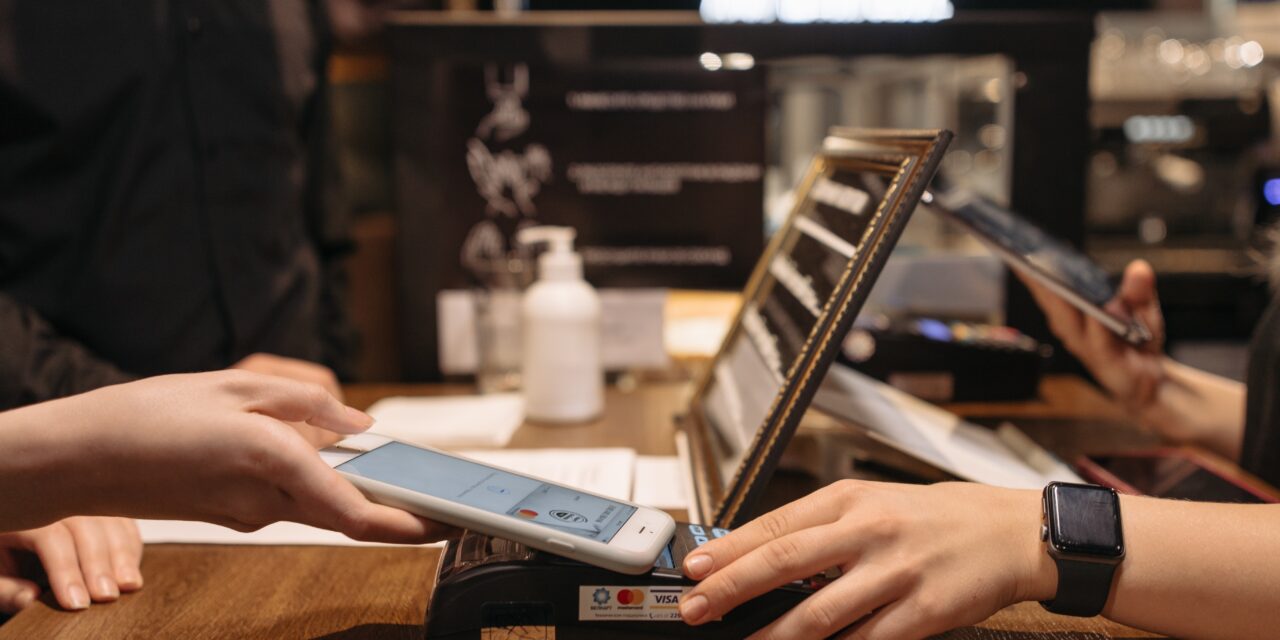
Whether you own a restaurant, café, an office with a reception, taxi service, or any other business with a physical location, it is highly likely that you utilise a card-reader as part of your base operations. Card-readers have become ubiquitous in modern business environments, enabling seamless payment transactions and enhancing customer convenience. It is not even the size of your arm (sometimes even your hand) and eases the friction between paying. However, it is crucial to recognize the potential security risks associated with card-readers and take proactive measures to ensure their security.
Card-readers, particularly those used for payment processing, are attractive targets for cyber-criminals due to the sensitive information they handle. These devices are vulnerable to various forms of attacks, including skimming, tampering, or the injection of malware. Such attacks can compromise the integrity of payment transactions and lead to significant financial losses, damage to your business’s reputation, and the potential loss of customer trust.
There is something you can do about it; and even a day of implementing and considering it all will save you plenty of money, stress and time in the future.
With the rise of Near Field Communication (NFC) technology and mobile payments, small businesses face new threats related to NFC attacks and injected malware. Cyber-criminals may attempt to exploit vulnerabilities in insecure card readers to compromise payment transactions or gain unauthorized access to sensitive data. Therefore, it is crucial for small businesses to invest in secure card readers that adhere to industry standards and undergo regular security updates. If you want to understand it from the attacker’s perception, read the NFC guide for the Flipper Zero.
To protect against unauthorized access or interception, it is imperative to implement widely-accepted encryption technologies, such as Secure Sockets Layer (SSL) or Transport Layer Security (TLS). By employing these encryption methods during online interactions, such as when customers make payments with their cards, businesses can effectively safeguard sensitive data, preventing cyber criminals from carrying out illegal activities like Man-In-the-Middle attacks, where they intercept the data and attempt to steal funds.
Although all of this may sound obvious, many small businesses become victims of breaches. In 2020 alone, there were over 700,000 reported cyber-attacks, of which 40% admitted that they lost essential data.
Most of these cyber-attacks were (and still are) entirely preventable; as they all came from Malware, Trojans and Viruses.
By using secure card readers, your small business can significantly reduce the risk of NFC attacks, injected malware, and unauthorized access attempts, safeguarding both your customers’ financial information and their own reputation. Even if you believe you are ‘too small’ to be attacked, it is better to be safe than sorry.
Now, how do you check that your card reader is secure?
- Security Within the Business: CCTV systems are instrumental in enhancing the physical security of your business premises. By strategically placing surveillance cameras in key areas, such as near your card reader and sensitive data storage locations, you create a visual deterrent for potential cybercriminals. The presence of visible security cameras sends a clear message that your business is actively monitoring its surroundings and that any illicit activities will be captured on video, making it less likely for criminals to attempt an attack.
- Absolute Basics: Before going into the software aspects, ensure your foundational security is created. Secure card readers employ advanced encryption and authentication mechanisms to prevent data interception and tampering. These devices should comply with Payment Card Industry Data Security Standard (PCI DSS) requirements to ensure the protection of payment card data. Make sure your card-reader has an Advanced Encryption Standard (AES) (This is all for the techy among you) built-in, as this eliminates a majority of potential attacks.
-
Conduct Regular Audits: Periodically review the security configurations and settings of your card reader. Check if firewalls are enabled, antivirus software is up to date, and any other security measures recommended by the vendor are in place. This will help ensure that your card reader continues to meet security requirements over time.
-
Regularly Check for Updates: Check the vendor’s website or support portal periodically for software updates, patches, or firmware releases specific to your card reader model. Manufacturers often release updates to address security vulnerabilities or improve functionality. Make sure to download and install any available updates according to the vendor’s instructions.
-
Contact Technical Support: If you have concerns about the security of your card reader or need assistance with updating software, firewalls, or anti-virus software, contact the vendor’s technical support team. They can guide you through the process, provide specific instructions, or address any security-related queries you may have.
Cybersecurity may sound scary and uncharted territory, but it is necessary to implement and keep up-to-date with in order to safeguard sensitive information, protect against cyber-threats, and maintain the trust of customers. The ever-evolving nature of technology and the increasing sophistication of cybercriminals mean that businesses of all sizes must remain vigilant and proactive in their approach to cybersecurity. By prioritizing cybersecurity measures, staying informed about the latest threats, and adopting best practices, small businesses can effectively mitigate risks and minimize the potential impact of cyberattacks. Remember, investing in cybersecurity is an investment in the long-term success and resilience of your business, ensuring a secure digital environment for both your organization and your valued customers.